AD-IMDB Documentation

User Guide for the Annotated Genomes of the 3xTg AD Mouse Gut Microbiota

Getting Started

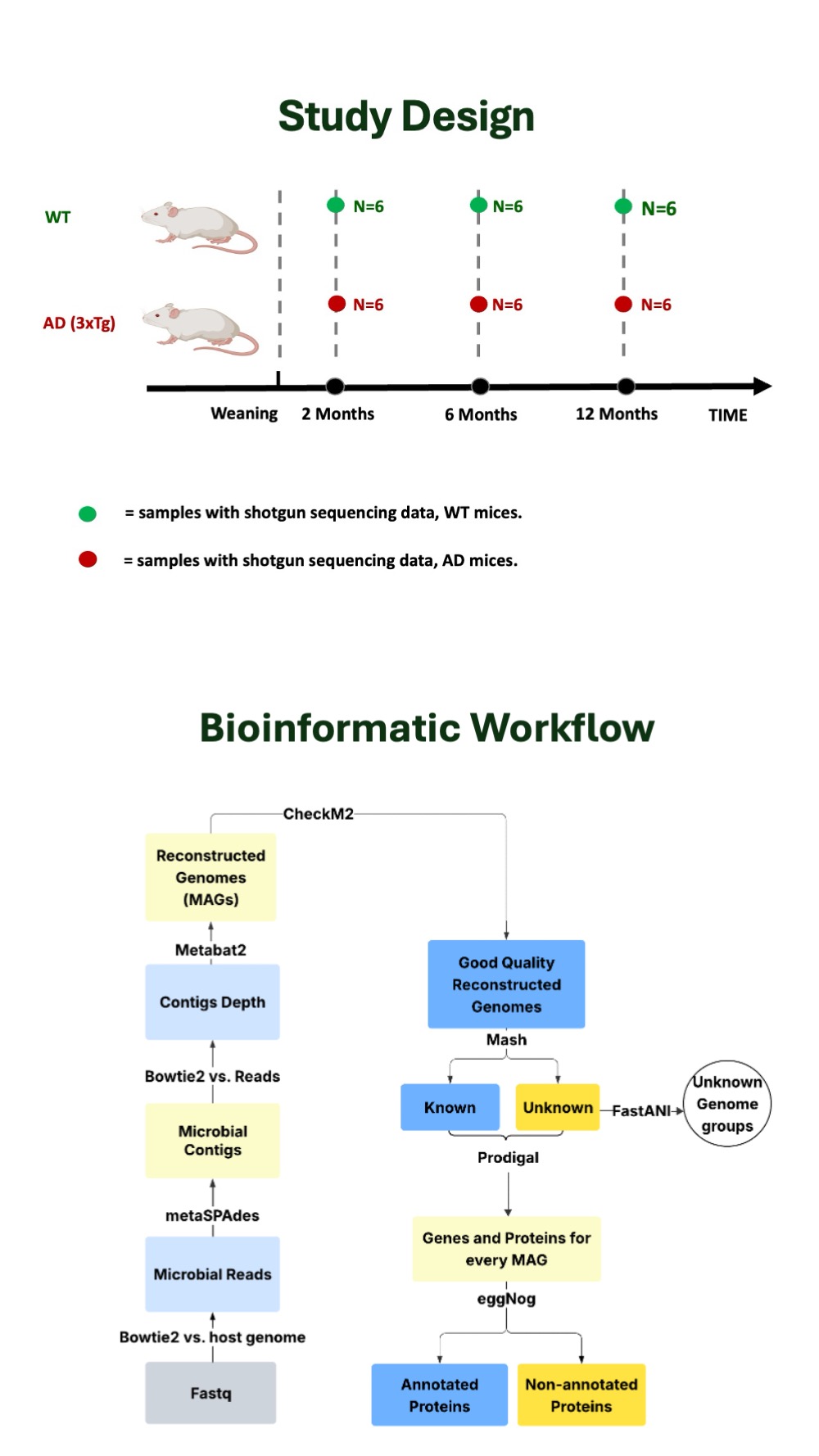
The AD-IMDB database is a curated resource dedicated to the reconstruction and annotation of microbial genomes from a catalogue of shotgun metagenomic data related to Alzheimer's disease mouse models. The original dataset relative to 3xTg-AD mice was published and described in PMID: 36001607 and PMID: 39478626. Here, we implemented a computational pipeline for the ab initio reconstruction of both known and unknown genomes from raw sequencing data, followed by a targeted computational analysis of the annotated proteins. The AD-IMDB database provides access to the full collection of reconstructed genomes and proteins, together with their corresponding functional annotations.

Study Design and Workflow

Study Design and Workflow

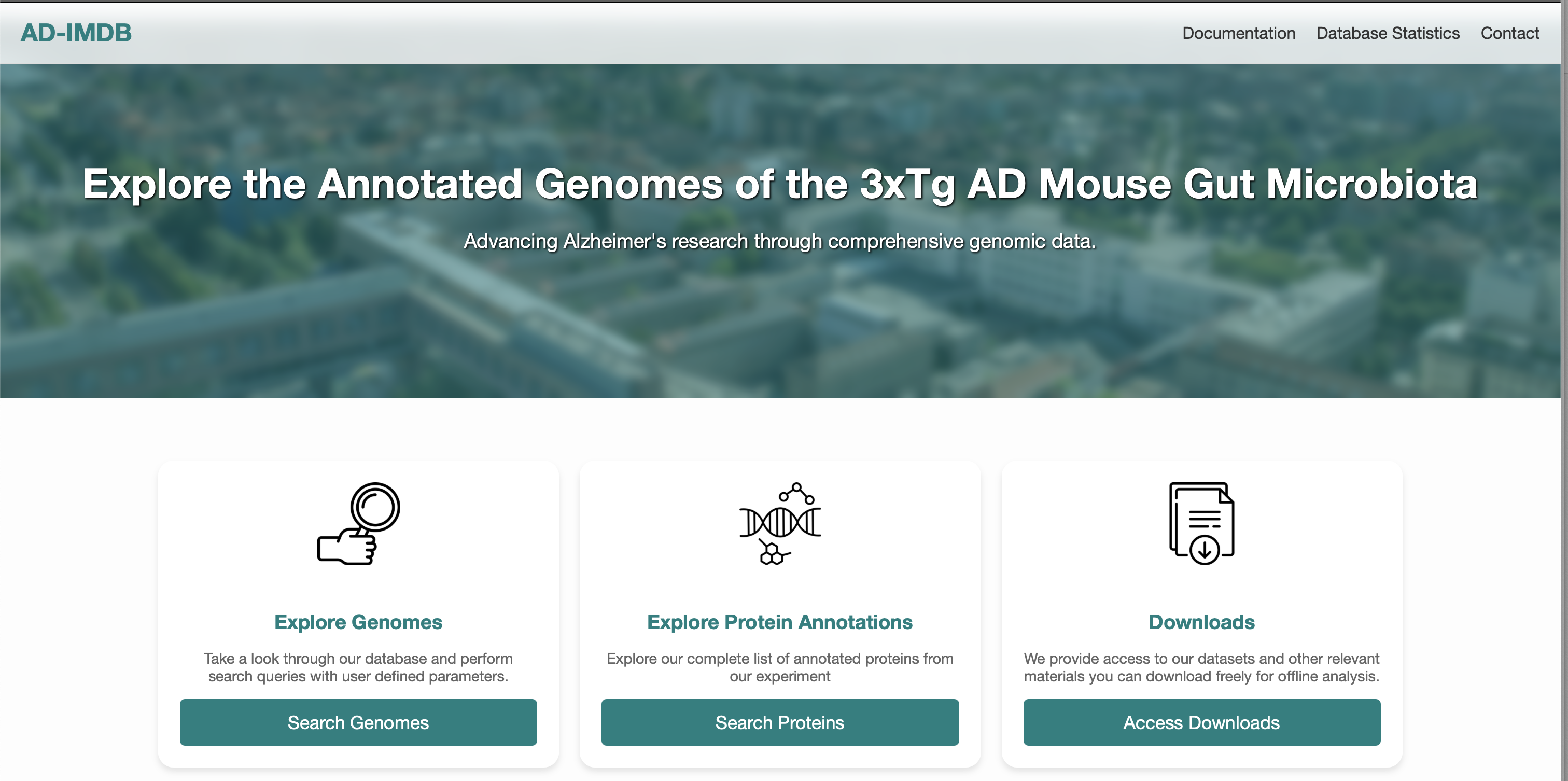
The AD-IMDB database provides 3 main functionalities:

  • Explore Genomes
  • Explore Protein Annotations
  • Access Downloads
Homepage Overview
Explore Genomes

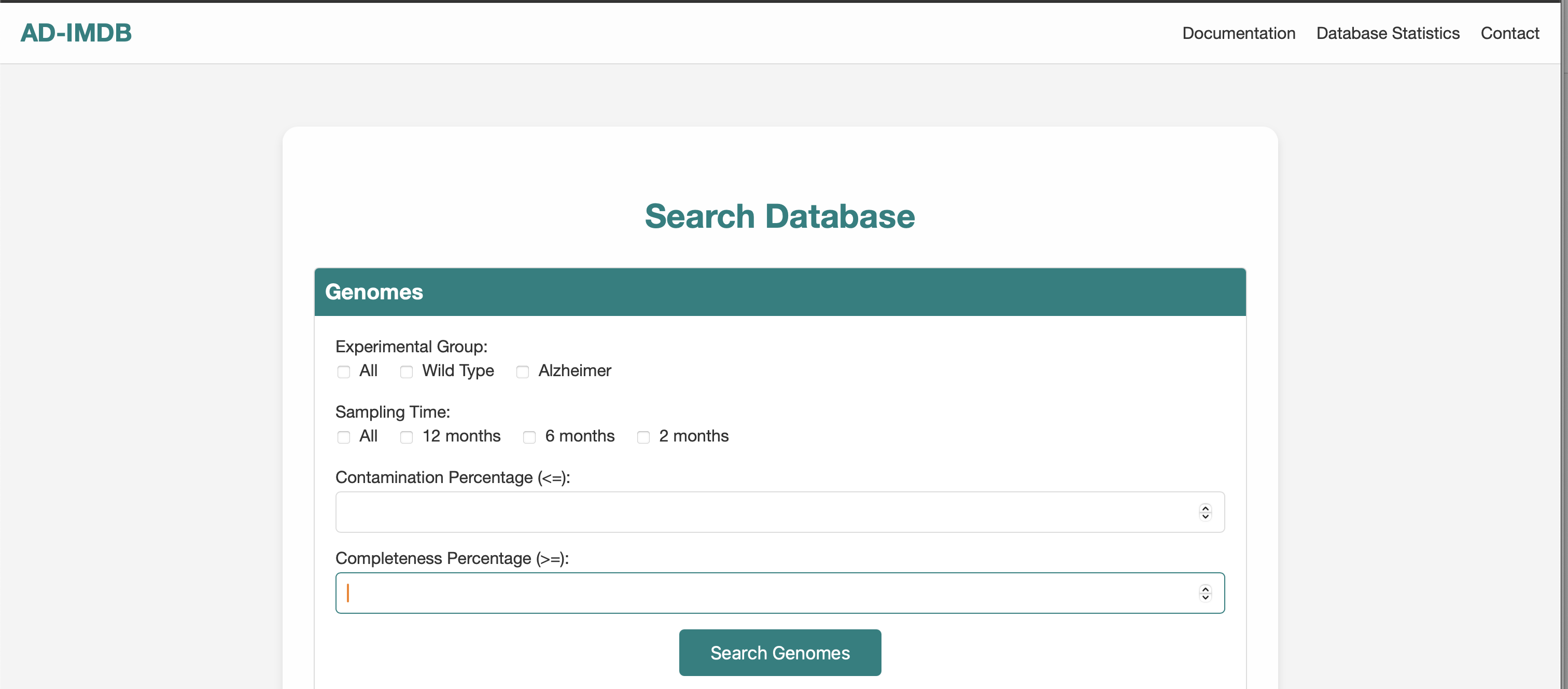
This interface allows filtering of genomic data based on biological and quality parameters.

Genome Filter UI

Available Filters:

  • Experimental Group: All, Wild Type, Alzheimer
  • Sampling Time: 2, 6, 12 months
  • Contamination (<=): e.g., 5
  • Completeness (>=): e.g., 90
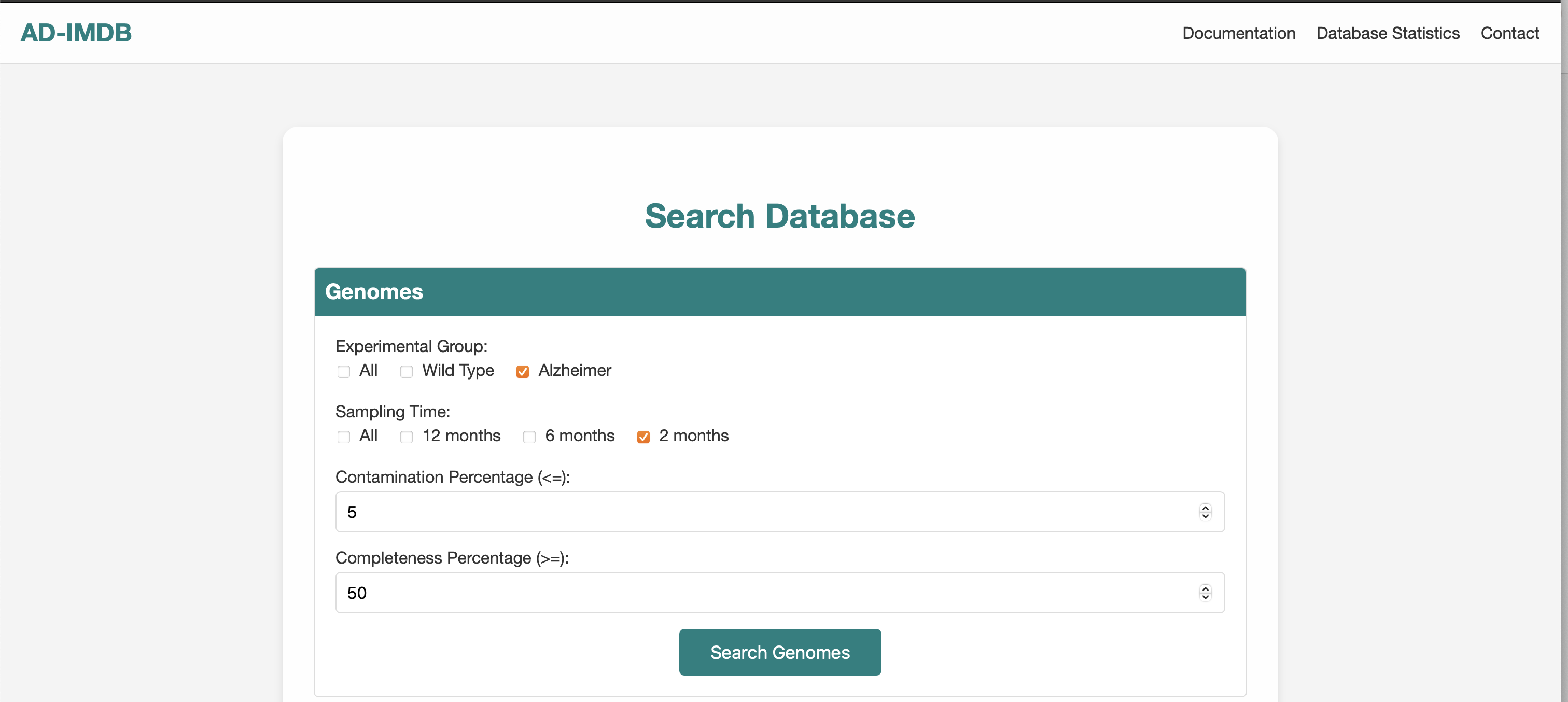
Example Query: Alzheimer + 2 months + ≤ 5 % contamination + ≥ 50 % completeness
Example Filtered Search

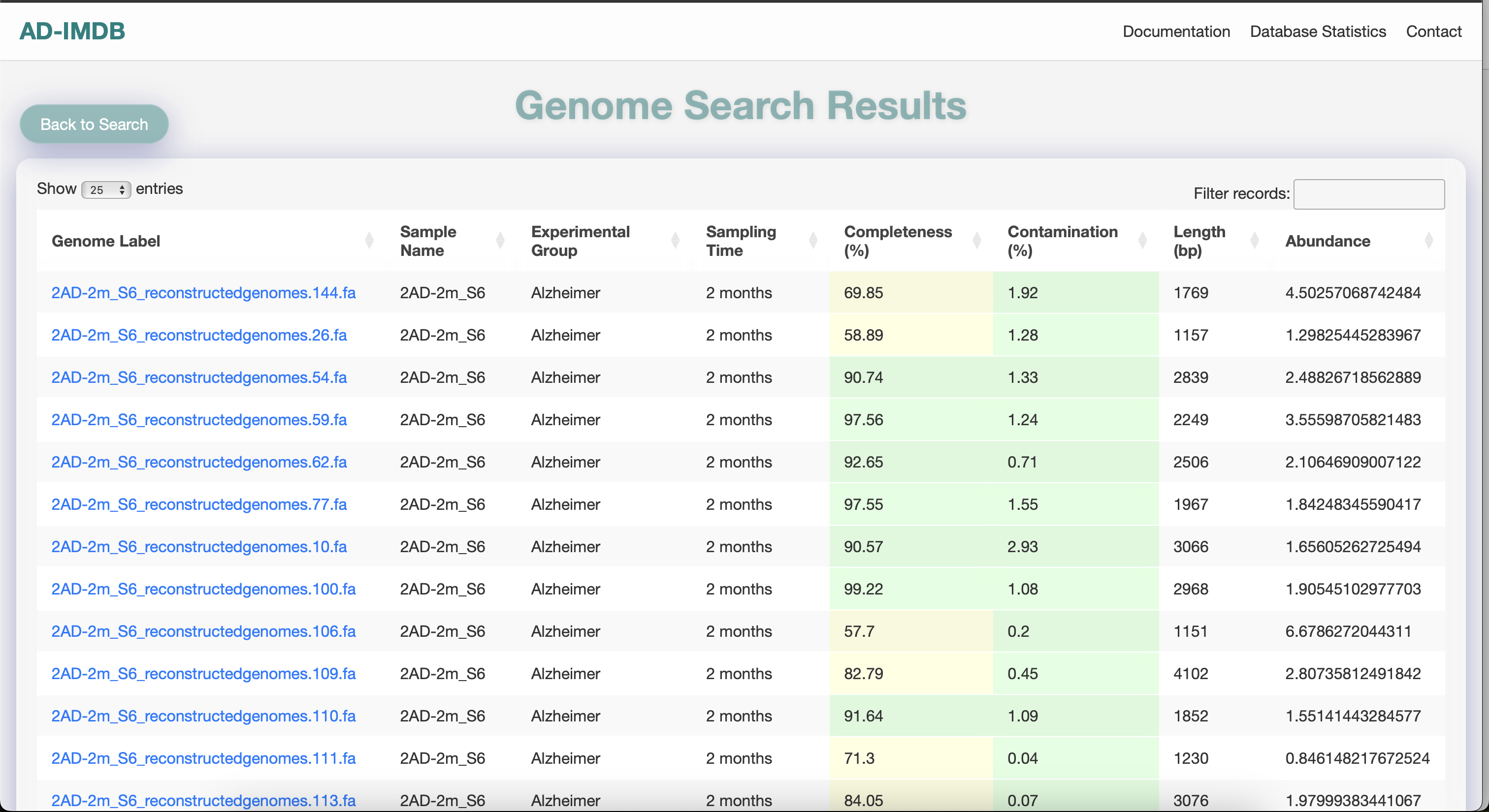
Genome Results:

  • Color-coded by quality
  • Sortable & filterable table
Genome Table
Genome Details View

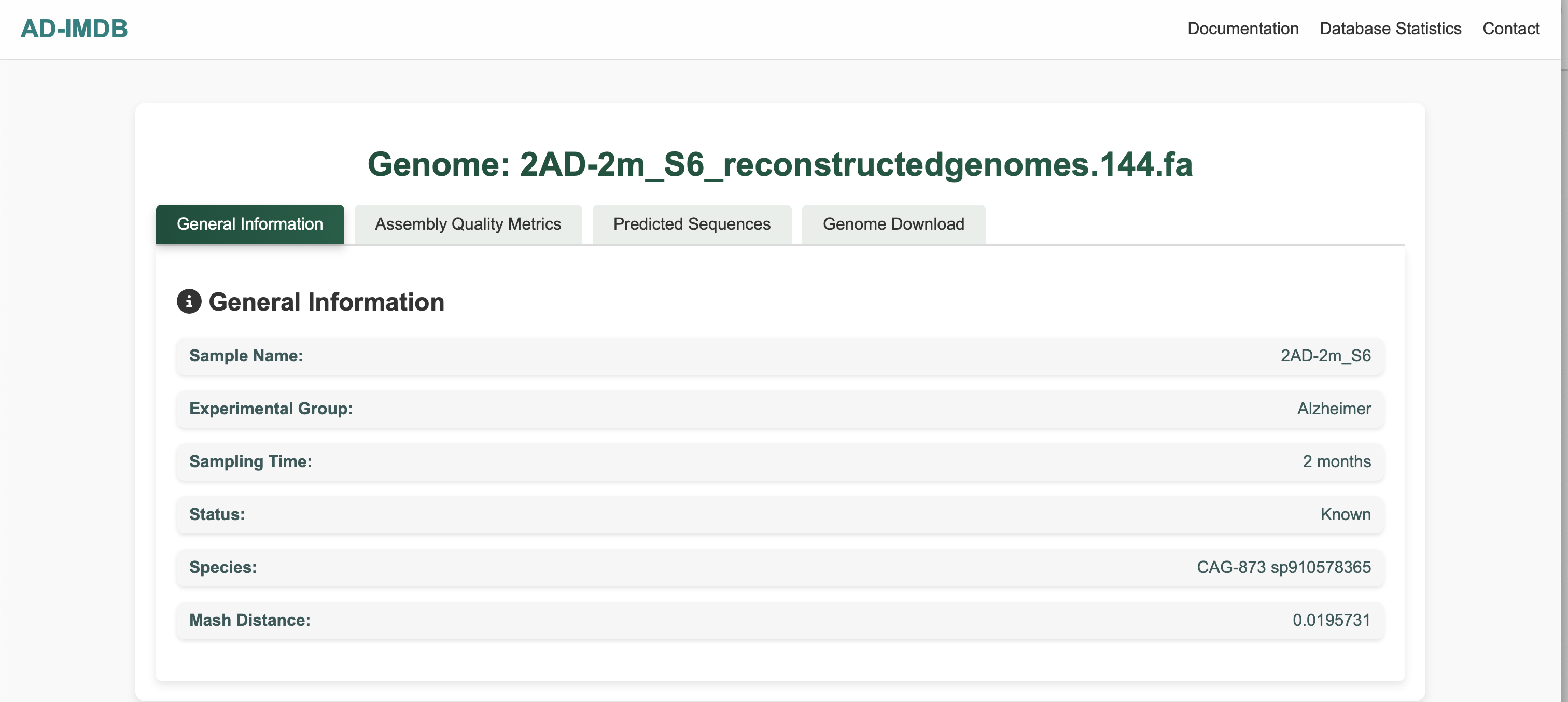
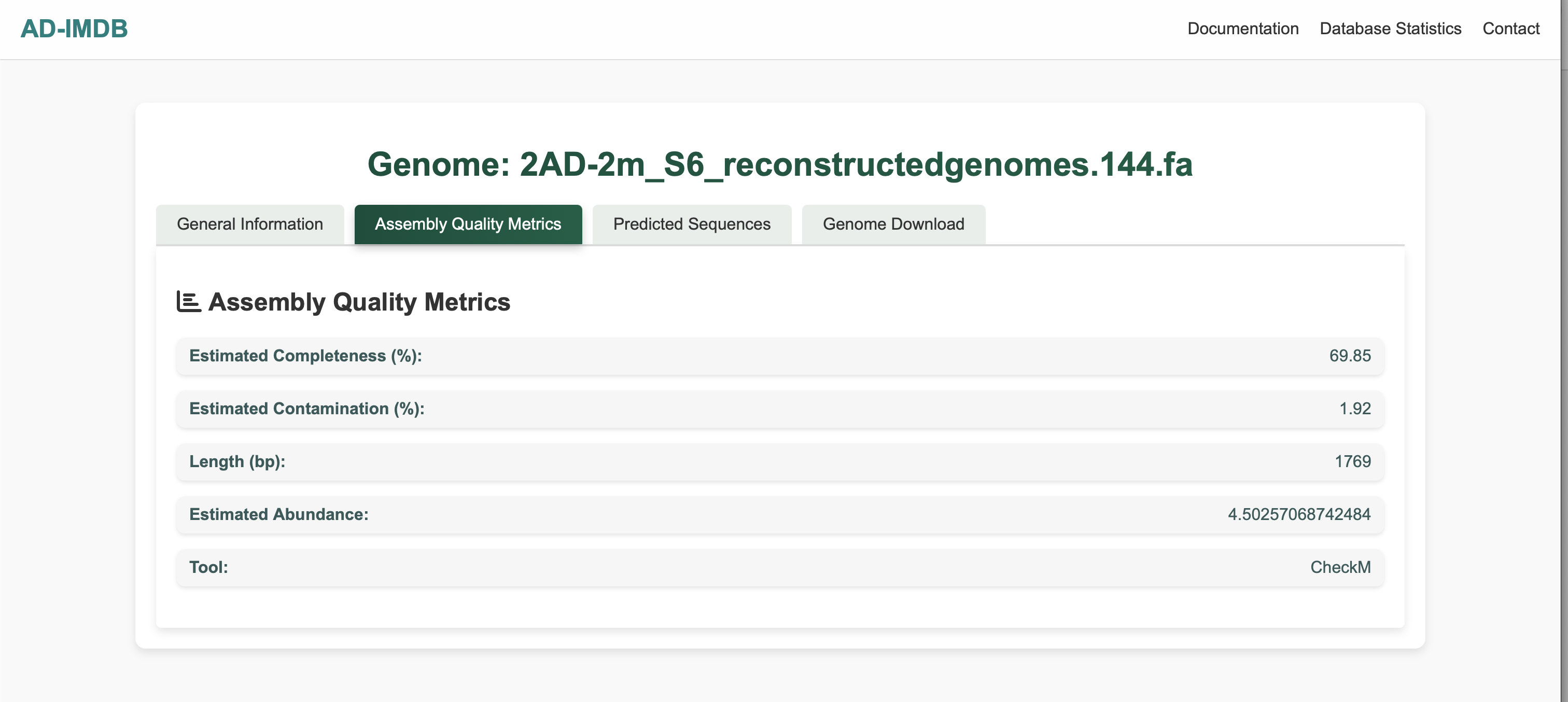
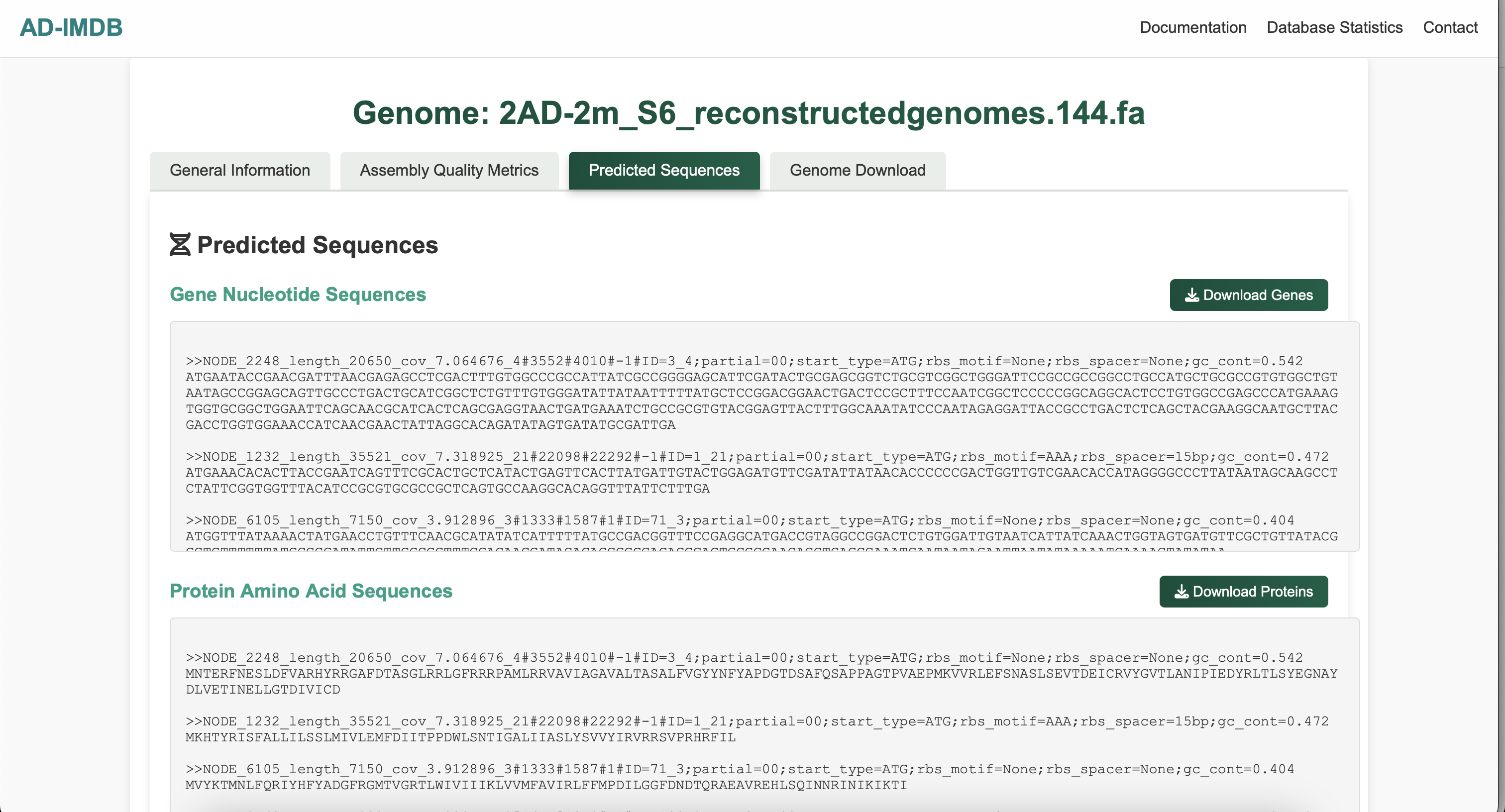
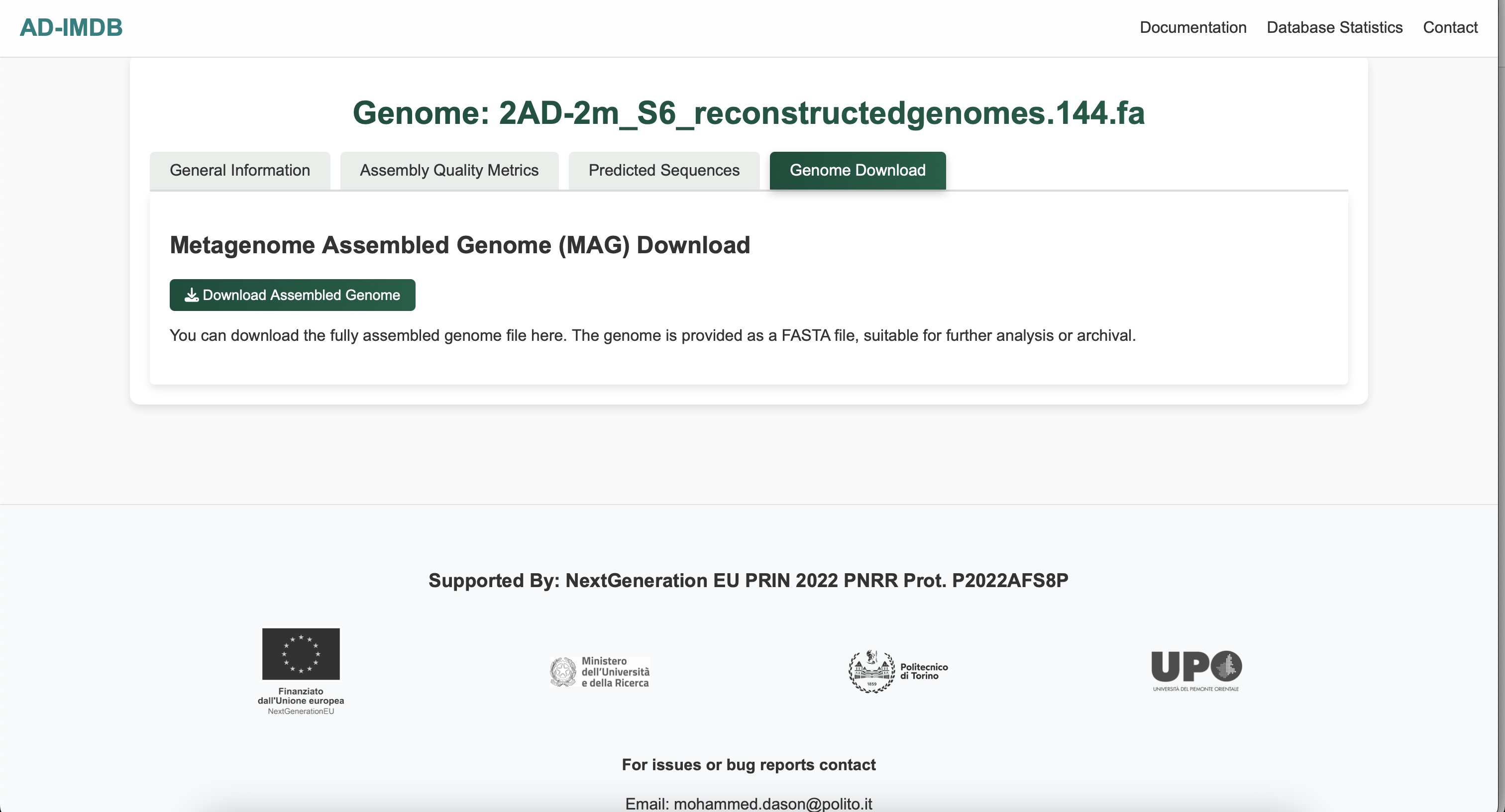
Click a Genome Label to view detailed information:

  • General Info
  • Assembly Quality Metrics
  • Predicted Sequences
  • MAG Downloads
General Info Assembly Metrics Predicted Sequences Genome Download
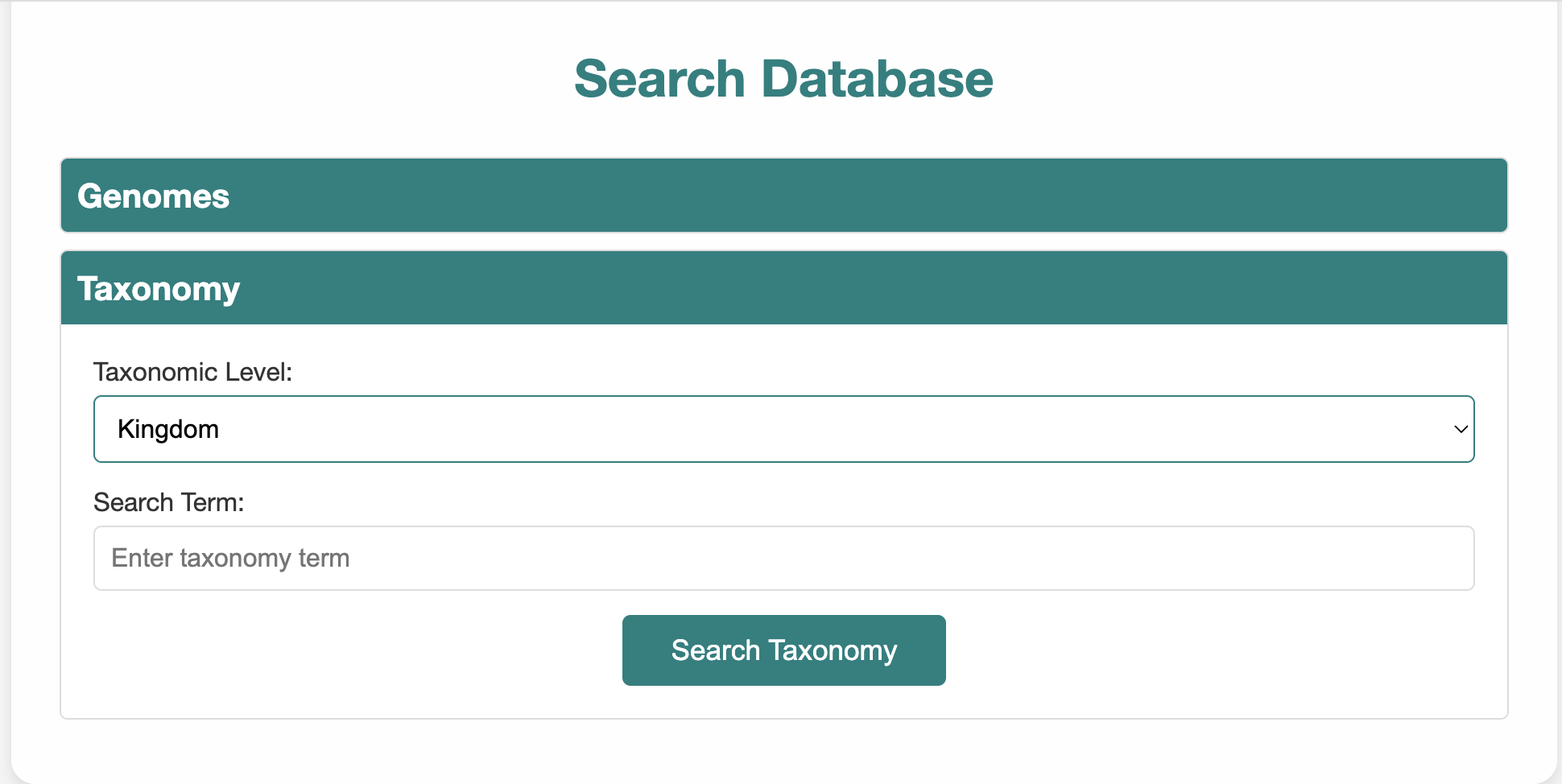
Taxonomy Search

Use taxonomic levels to filter genomes:

  • Levels: Kingdom, Phylum, Class, Order, Family, Genus, Species
  • Search term must match database classification
Example: Select "Phylum" and enter "Bacillota (Synonym of Firmicutes)". NB: You may need to use synonyms.
Taxonomy Search UI
Protein Annotations

Sequence Annotations Search

This page allows users to search annotated protein sequences using different functional annotation fields, including PFAM domains, KEGG pathways, KEGG orthology identifiers, EggNOG orthologous groups, GO terms, and annotation descriptions.

How to Use the Search

  1. Enter a Search Term
    • Examples: CbiA, map00640, K03610, COG0850, GO:0008150, minC
  2. Select Search Type
    • PFAMs – Protein family domains
    • KEGG Pathway – Metabolic or cellular pathways
    • KEGG Orthology – Functional ortholog groups
    • EggNOG OG – EggNOG orthologous group identifiers
    • GO Terms – Gene Ontology functional terms
    • Description – Text-based protein annotation descriptions
  3. Click the Search Button
Protein Annotation Search Interface
Make sure your search term format matches the selected search type. For example, use COG0850 when searching by EggNOG OG, K03610 when searching by KEGG Orthology, or GO:0008150 when searching by GO Terms.

Search Results Page

After submitting a query, matching protein annotations are displayed in a results table. The table includes the query sequence identifier, functional description, KEGG pathway, KEGG orthology assignment, EggNOG orthologous group, GO terms, PFAM domains, and an action button for viewing additional annotation details.
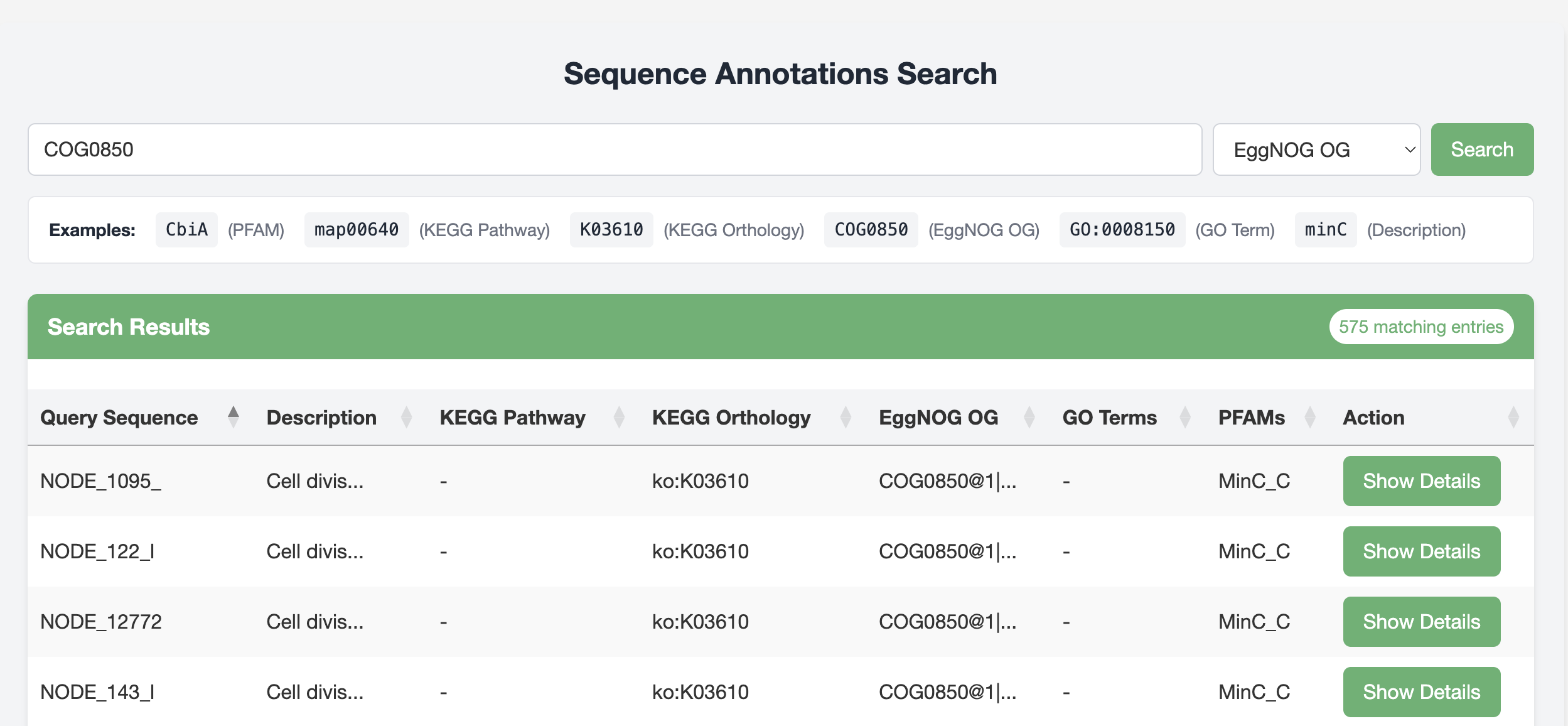
Protein Annotation Search Results Page

Annotation Details Page

Clicking Show Details opens a detailed annotation page for the selected protein sequence. This page displays the full annotation description, the query sequence identifier, and key annotation metrics assigned during EggNOG annotation.It also provides additional protein-related information, including the corresponding nucleotide sequence, amino acid sequence, and other available annotation metadata.

  • E-value: The statistical significance value associated with the EggNOG annotation match. Lower E-values indicate stronger confidence in the assigned annotation.
  • Score: The bit score of the protein annotation match. Higher bit scores generally indicate stronger sequence similarity and better-supported annotation assignments.
  • COG Category: The broad functional category assigned to the protein based on Clusters of Orthologous Groups classification. For example, category D represents proteins involved in cell cycle control, cell division, and chromosome partitioning.
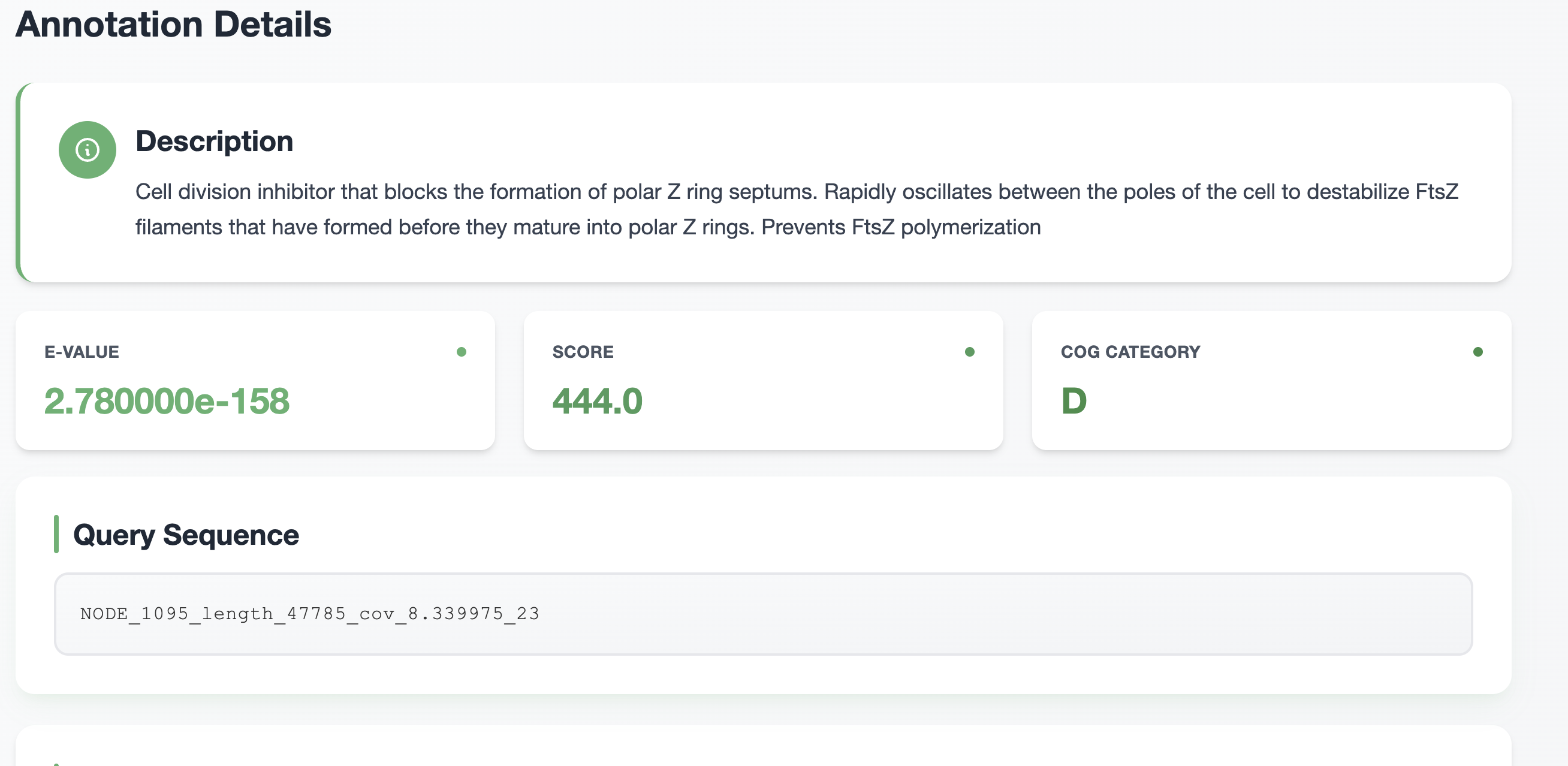
Protein Annotation Details Page
Downloads

Downloads

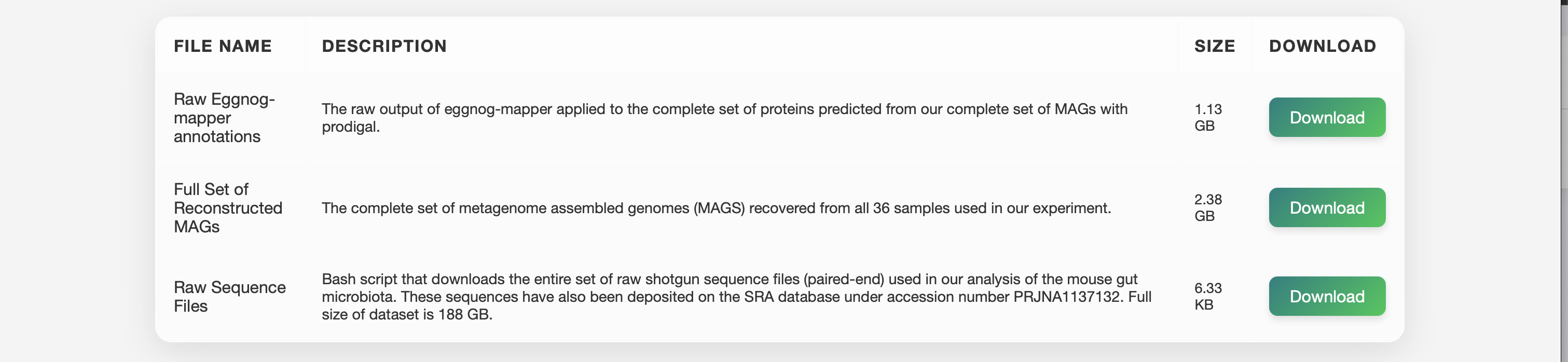
This section provides access to key datasets including genomic assemblies, annotations, and supporting material.

  • File Name – A descriptive title
  • Description – Brief summary of contents
  • Size – For estimating download time
  • Download – A direct download link
⚠️ This list may be updated as new datasets are added.
Data Downloads Page Screenshot